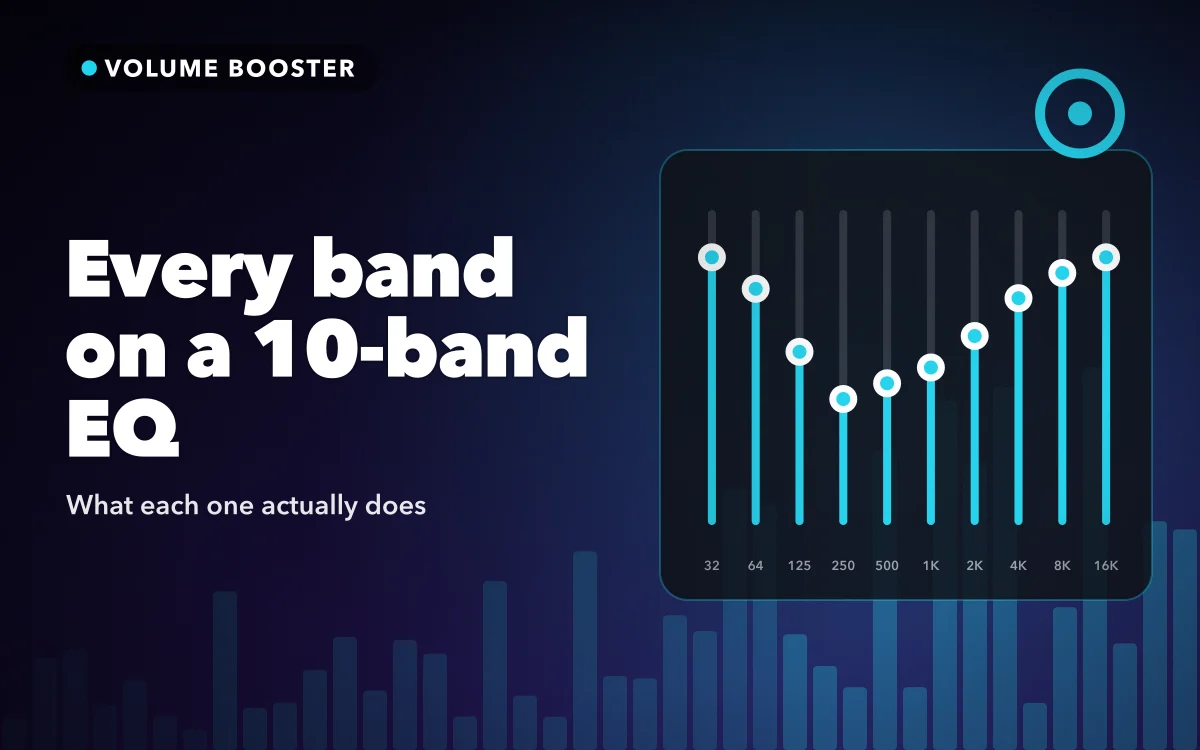
Most people use an equaliser by pushing the ends up and leaving the middle alone, which produces the smile curve — more bass, more treble, and a hollow gap where the actual music lives.
The middle sliders are the ones that fix real problems. Here is what each of the ten controls, roughly, and what to do with it.
The bands, from bottom to top
32 Hz — sub-bass. Felt more than heard. This is the region of deep synth and the very lowest notes of a bass drum. Phone speakers cannot reproduce it at all, so raising it there does nothing but waste headroom. On good headphones it adds weight.
64 Hz — bass. The body of a kick drum and a bass guitar. This is where "powerful" lives. Lift a little for electronic and hip-hop; too much and everything above it gets buried.
125 Hz — upper bass. The warmth of a male voice and the fullness of a guitar. Small lifts here make thin recordings sound richer.
250 Hz — the mud zone. Almost always the one to *cut*. When a mix sounds boxy, congested or like it is playing through a blanket, this is the culprit. Pulling it down two or three notches is the single most effective EQ move there is, and nobody makes it.
500 Hz — low mids. Body of most instruments. Neutral territory; leave it alone unless something sounds hollow, in which case a small lift helps.
1 kHz — mids. The core of a voice. Raising it makes things forward and nasal; cutting it makes them distant. Move this one in very small amounts.
2 kHz — presence. Where speech becomes intelligible. If you are struggling to follow dialogue in a film or a podcast, this is the slider to lift, not the volume.
4 kHz — clarity and attack. Consonants, the snap of a snare, the edge of a guitar. A lift here adds definition. Too much and it becomes fatiguing after twenty minutes.
8 kHz — brightness. Cymbals, sibilance, the "s" sounds. Lift for sparkle, cut if voices are hissing at you.
16 kHz — air. The sense of space at the top. Subtle on any headphones, inaudible on most phone speakers, and beyond the hearing range of many adults.
The three moves that fix most problems
Muddy, boxed-in sound. Cut 250 Hz. Then, if it is still thick, cut a little at 500 Hz. Do not add treble to compensate — remove the problem instead of masking it.
Cannot follow the dialogue. Lift 2 kHz, and a little at 4 kHz. Leave the volume where it is. This works far better than turning everything up, because the issue is masking rather than level.
Thin and lifeless. Lift 125 Hz, not 32 Hz. The lowest band does almost nothing on small speakers, and the warmth people are actually missing sits higher up.
Cutting beats boosting
Every boost uses headroom, and once the signal hits full scale it distorts. Cutting the frequencies you do not want achieves the same balance without that cost, and it is why engineers cut far more often than they lift. If you find yourself with six sliders raised, pull the offending band down instead and turn the overall volume up afterwards — same result, cleaner sound.
Follow along in Volume Booster: Bass & EQ
Free on the App Store for iPhone and iPad.
App Store
Why the smile curve disappoints
Ends up, middle flat: more bass, more treble, and a scooped midrange. It sounds impressive for about a minute and then everything feels distant, because the midrange is where voices and most instruments actually are.
It also uses the most headroom of any shape, so it is the fastest route to distortion once gain is added on top.
If you like the effect, get it with a small lift at 64 Hz and 8 kHz rather than a large one at the extremes. The character survives and the mix does not hollow out.
Speakers versus headphones
The same curve does not work on both.
A phone speaker has essentially no output below about 300 Hz. Anything you do at 32 or 64 Hz is inaudible and simply eats headroom. On a speaker, work in the mids and the presence region.
Headphones reproduce the full range, so the bottom two bands become real. They also put the drivers close to your ears, which makes 8 kHz harsher than it would be across a room — most people want less up there on headphones, not more.
EQ settings for AirPods and headphones has starting points for each.
Start from a preset, then adjust
Presets exist because they encode sensible starting points. Pick the one closest to what you are listening to, then make one change at a time and listen for ten seconds before making another.
Changing four sliders at once tells you nothing about which one helped.
Quick answers
Which single band should I move first?
250 Hz, downward. More listening problems are caused by too much energy there than by too little anywhere else.
Why does boosting the bass make everything quieter?
Because a boost uses headroom, and the app pulls the overall level back to avoid clipping. Try cutting the mids instead of lifting the bass.
Do the top bands do anything on a phone speaker?
16 kHz, almost nothing. 8 kHz, a little. The bottom two do nothing at all — a small speaker cannot move enough air.
Is there a setting that just makes everything better?
No, because the right curve depends on the material and the output. A preset that suits hip-hop on headphones will sound wrong for a podcast on a speaker.
Where to get it
Volume Booster: Bass & EQ has all ten bands with presets to start from, and applies gain after the equaliser so a cut actually buys you headroom.
Cut 250 Hz. It is the fastest improvement available.