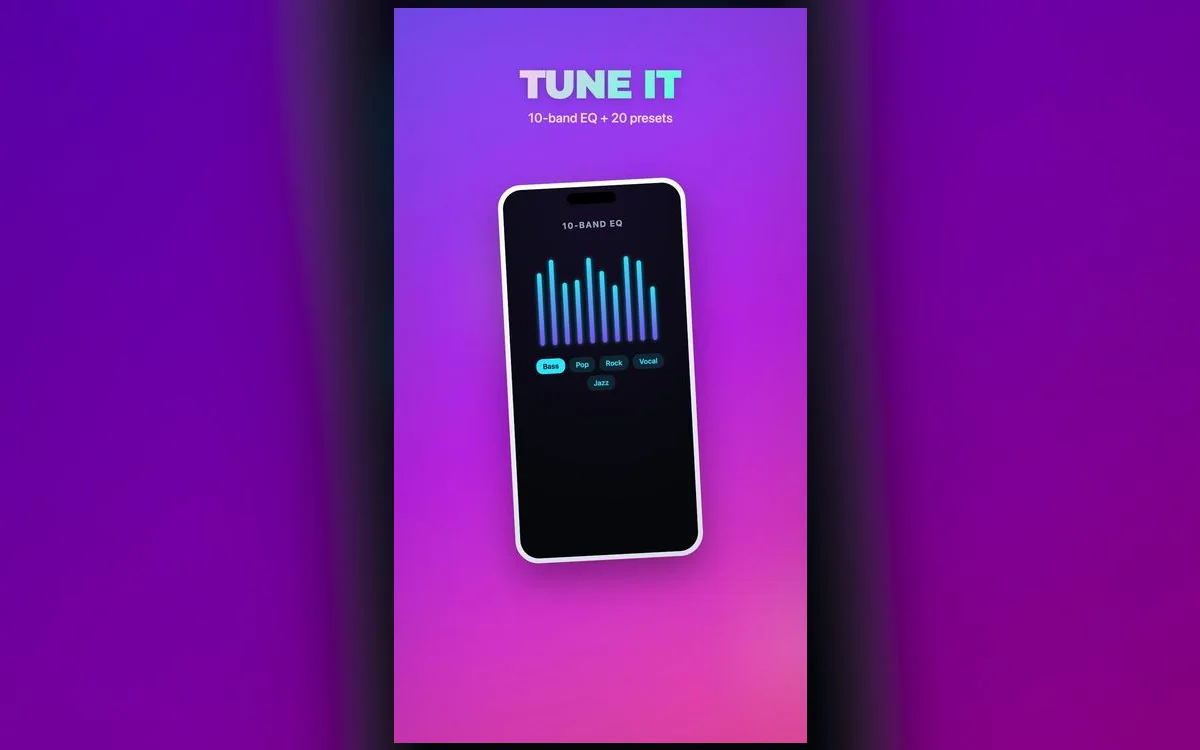
Great hip-hop sound is all about balance: bass you can feel, vocals that cut through, and highs that add crispness without harshness. Here’s how to dial it in on iPhone with a proper equalizer.
The hip-hop EQ formula
Start here, then adjust to taste:
- Boost the low end — lift 60Hz and 150Hz a few dB for that chest-thump bass.
- Keep the low-mids controlled — a slight dip around 300–400Hz keeps it from sounding muddy.
- Lift the vocals — a gentle boost at 2–3kHz so the flow sits forward.
- Add a touch of air — a small lift at 10kHz for crispness on hi-hats.
What each move is actually fixing
Rap mixes are crowded in a specific way. Once you know which band owns which sound, the curve above stops feeling arbitrary:
- 40–60Hz is the tail of an 808 — the part you feel more than hear. Headphones deliver it, a phone speaker mostly cannot.
- 80–150Hz is the kick and the body of the bass line. This is where "more bass" usually belongs.
- 300–400Hz is the mud zone. Samples, sub and the low end of the vocal all pile up here.
- 2–3kHz is diction. Lift it and you catch every word; overdo it and s-sounds turn sharp.
- 8–12kHz is hats, air and sample hiss. A small lift adds crispness, a big one adds fatigue.
Follow along in Volume Booster: Bass EQ
Free on the App Store for iPhone and iPad.
App Store
Boom bap, trap and drill want different curves
The formula is a base, not a rule. Nudge it for what you actually play:
- 90s boom bap — dusty samples already carry warmth at 200–400Hz, so cut less there and lift 3kHz to keep the snare cracking.
- Trap — the sub-heavy end. Give 40–60Hz room, dig the 300Hz dip a little deeper, and let the hats have their 10kHz.
- Drill — sliding 808s blur into each other. Lean on 100Hz rather than 50Hz so every note stays defined.
- Melodic and R&B-leaning rap — pull the low-mid cut back toward flat. The warmth is the point; thinning it makes the vocal sound cheap.
Why the built-in EQ isn’t enough
iOS’s "Bass Booster" is a single fixed preset — no control over the exact frequencies. A full 10-band EQ lets you shape hip-hop the way it’s meant to sound on the tracks you import and play inside it, though no third-party app can reach into Spotify, Apple Music or YouTube.
Bass with control
Boost bass for punch, not mud. If tracks start sounding boomy, ease off the very lowest band and lift 150Hz instead — you’ll feel it without losing clarity.
A five-minute setup that sticks
- Set Settings → Music → EQ to Off first. Stacking Apple’s EQ under an app’s doubles the same frequencies and invites distortion.
- Pick one track you’ve heard hundreds of times, with a clear 808 and a clear vocal.
- Start flat and move a single band at a time, listening for a few seconds after each change.
- Do the lows first, the vocal lift second, the air last. In the opposite order you end up over-boosting everything.
- Turn the volume down and listen again. A curve that only works loud is not a good curve.
- Check it on the gear you use most — AirPods, car, phone speaker. They will not agree.
Save it and go
Once it sounds right, save your hip-hop preset so every track plays that way — then tweak per song if you like. Naming presets after the situation helps: "AirPods walk" and "car" get reached for far more often than "hip-hop v3".
When it doesn’t sound right
- It crackles on the 808. That’s clipping, not power. Lower the master boost first, then the lowest band, and only then think about volume.
- You can’t make out the words. Too much 100–300Hz is covering the vocal. Cut there before pushing 3kHz any higher.
- The hats sting after two songs. Trim 8–10kHz by a couple of dB. Brightness fatigue creeps up across a whole album.
- Every track is a different volume. Turn on Settings → Music → Sound Check so levels even out between songs.
Bass hides how loud you are
Heavy low end makes a loud level feel comfortable, which is how a commute turns into ringing ears. Leave the loud-audio reduction on under Settings → Sounds & Haptics → Headphone Safety, take breaks, and back off when the sound turns harsh.
Quick answers
What EQ is best for rap on iPhone?
Boost 60–150Hz for bass, dip 300–400Hz to avoid mud, and lift 2–3kHz so vocals cut through. Add a small 10kHz lift for hats, then adjust for headphones or speaker.
Does a bass boost damage speakers?
Not at sensible levels — boost for punch, and ease off if the sound starts to distort. Sustained clipping is what stresses a small driver, and you can hear it long before it becomes a problem.
Should I just use Apple’s Hip-Hop preset?
It’s a fine starting point, but it only applies inside the Music app and you can’t move a single band. A 10-band EQ fixes the exact thing bothering you instead of handing you a compromise.
Where did my 808 go on the phone speaker?
Small speakers physically can’t reproduce sub-bass, so a 50Hz-heavy curve simply vanishes. Save the deep setting for headphones and lean on 100–150Hz when you’re playing out loud.
Where to get it
A full 10-band equalizer, bass boost and one-tap presets are built into Volume Booster: Bass EQ — free on the App Store. Dial in the perfect hip-hop sound and feel every beat.