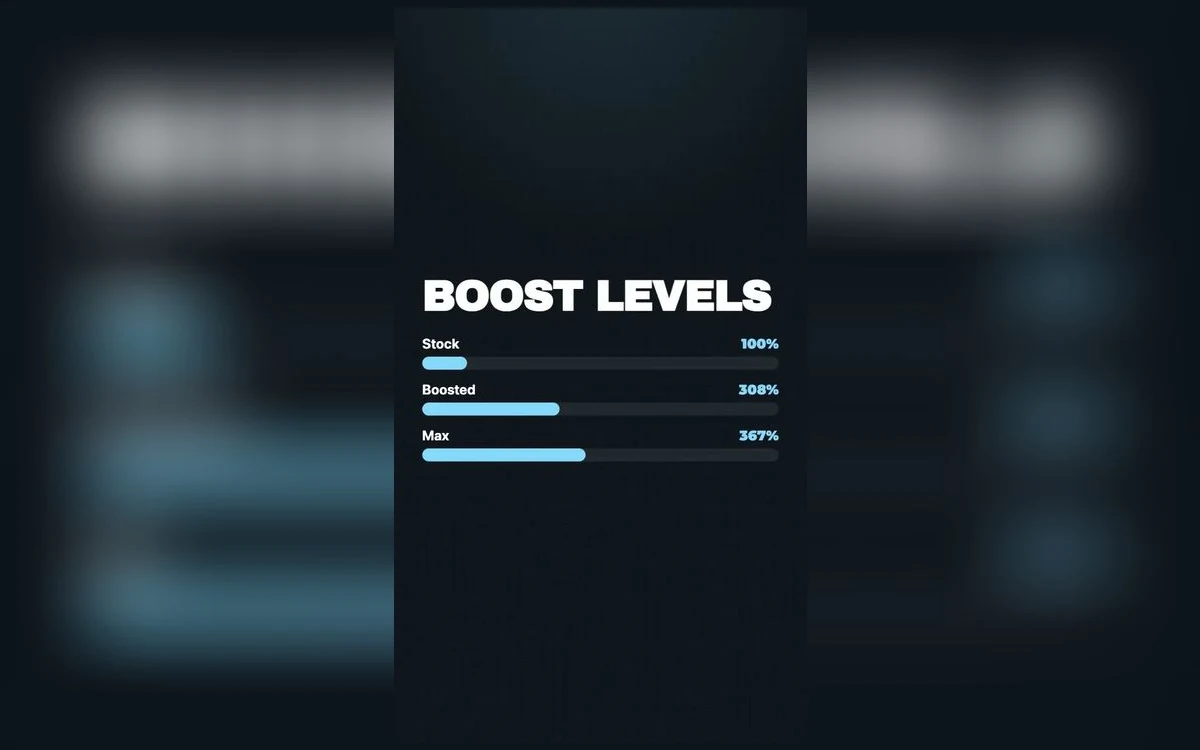
The headline number on any volume booster is the top of its range, and it is the least useful part of it. Turning everything to the maximum is the fastest way to make good audio sound bad.
What the percentage actually describes is how much gain is applied to the signal before it reaches the output. Whether that helps depends entirely on how much room the recording left.
What the numbers mean
Think of a recording as having a ceiling. A modern, professionally mastered track sits close to that ceiling already — it was made loud on purpose. A voice memo recorded across a room sits far below it.
Gain lifts the whole signal toward the ceiling. On the voice memo there is a lot of room, so a large boost is recovering something real. On the mastered track there is almost none, so the same boost pushes the peaks into the ceiling and they distort.
That is why the correct level is a property of the file, not a preference.
100%: leave it alone
This is unprocessed, and it is the right setting for most modern music, most video files, and anything you already think sounds fine.
If a well-mastered track sounds quiet at 100% with the phone at full volume, the problem is almost certainly a system limit rather than the file. Why max volume is not max covers the settings to check before adding any gain at all.
Follow along in Volume Booster: Bass & EQ
Free on the App Store for iPhone and iPad.
App Store
Around 200–300%: the everyday range
This is where most useful boosting happens and where most people should live.
It suits older recordings mastered before the loudness era, imported film and TV clips with wide dynamic range and very quiet dialogue, and saved files that are simply mixed low; streaming apps are out of reach, because iOS does not let a booster process another app’s audio. It gives an audible lift without pushing anything into obvious distortion.
If you only ever use one setting above 100%, make it this one.
Around 400–500%: quiet material
This range is for recordings with genuine headroom: lectures, interviews, voice memos, video shot on a phone from a distance, old digitised tapes.
Music at this level starts to lose the difference between loud and quiet parts, which is what makes it sound flat and tiring rather than powerful. Speech tolerates it far better than music does, because speech has less dynamic range to lose in the first place.
800%: the narrow case
The top of the range exists for genuinely broken audio — a recording so quiet it is otherwise unusable, a video where someone is speaking from across a room, a file that arrived at a fraction of normal level.
Used there, it rescues something that was unlistenable. Used on music, it produces a wall of distorted noise that is louder and worse.
The failure mode is obvious once you know it: the sound stops getting louder and starts getting harsher. That is the signal to come back down.
Loud enough to hear is not the same as safe to keep
Extra gain does not change how long your ears can tolerate a level. Sustained listening above roughly 85 dB damages hearing over time, and the damage is cumulative and permanent. If you are pushing gain because a room is noisy, better isolation solves it without volume — and the Headphone Audio Levels chart in the Health app will tell you honestly whether your listening habits are in a safe range. The safe listening guide has the detail.
Use the equaliser before you use more gain
This is the part people skip, and it usually works better than more boost.
Speech that is hard to make out is rarely too quiet — it is masked by everything around it. Lifting the presence region, somewhere between about 2 and 4 kHz, makes a voice cut through without raising the level of the whole track. What each EQ band does explains which slider does what.
Similarly, music that sounds thin at high gain often needs the low end shaped rather than the whole signal lifted. Boosting everything raises the noise floor along with the music; boosting one region does not.
A practical sequence
- Set the boost to 100% and check whether the system is limiting you.
- If the material is genuinely quiet, raise gain in steps rather than jumping to the top.
- Stop at the first sign of harshness — that is the ceiling for that file.
- If it is still not intelligible, reach for the equaliser rather than more gain.
- If it is music and you have gone past 400%, the file is probably fine and something else is wrong.
Quick answers
Does 800% mean eight times as loud?
No. It describes gain applied to the signal, and perceived loudness does not scale linearly with it. Roughly, every ten decibels sounds like a doubling, and the top of the range is well past the point where most material distorts.
Will high boost damage my speaker?
Sustained heavy distortion is not good for any driver, and a phone speaker is small. The more immediate cost is that it sounds bad.
Why does my music sound flat at high boost?
Because the quiet parts have been lifted as much as the loud ones, so the difference between them shrinks. That difference is most of what makes music sound alive.
What should I use for podcasts?
For an episode saved as an audio file and imported, usually 200–300% with a lift in the presence region rather than a large boost; the booster cannot reach into a podcast app. EQ settings for podcasts and audiobooks has a starting point.
Where to get it
Volume Booster: Bass & EQ pairs its gain control with a ten-band equaliser, so you can lift what needs lifting instead of everything at once.
Match the level to the recording. On good material, 100% is the right answer.