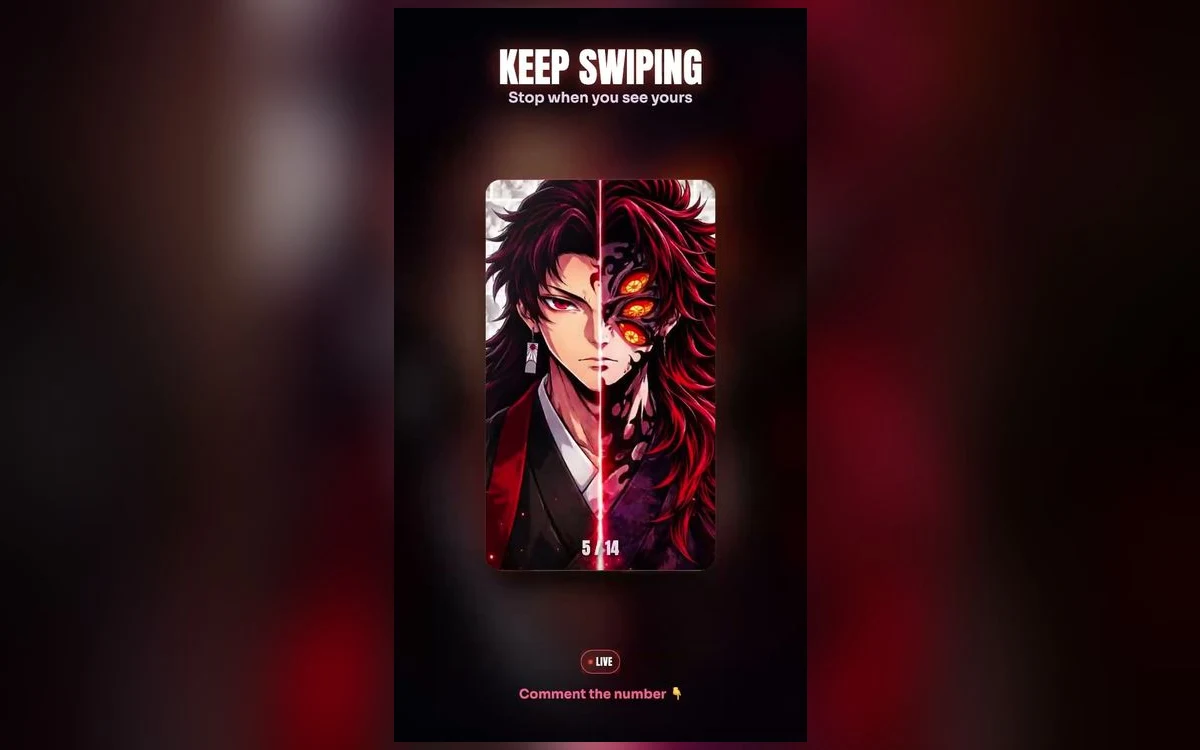
Yoriichi Tsugikuni is the one Demon Slayer subject that artists almost never draw quietly. The Sun Breathing forms are rendered as fire, the haori is deep red, the background is usually black or close to it, and there is often a sun disc behind the figure.
That combination — one bright subject, one dark ground — is the best possible starting point for a phone. It is also the combination most often ruined by a single default setting.
Why the fire art works and the daylight art does not
Sun Breathing pieces put warm orange and gold against near-black. The clock sits at the top of the screen where that art is usually darkest, so a white clock reads cleanly without any help. Nothing competes.
The pieces that fail are the ones with a bright sky. Yoriichi is sometimes drawn at dawn against pale gold or washed white, and on those the clock disappears completely. If you like a piece like that, do not throw it out — change the clock colour instead, which takes about four seconds.
Portraits with the hanafuda earrings and the red hair tips are the safest single pick. The face is central, the top of the frame stays dark, and the detail people actually want is nowhere near the clock.
Set the clock colour first
In the wallpaper editor, tap the time. You get a font picker and a colour picker.
On the standard dark Yoriichi art, leave the clock white. On the dawn pieces, a deep charcoal is far more legible. On anything with a strong orange wash across the top, try the warm tone the picker pulls from the image itself, which usually lands somewhere readable.
Do this before you decide whether an image works. A wallpaper judged with the wrong clock colour is being judged unfairly.
The flames are what the depth effect grabs
Depth effect lifts the subject in front of the clock, and it works well on Yoriichi portraits because the silhouette is clean: head, shoulders, sword, dark background.
It fails on the full-body combat pieces. Those tend to be a wall of fire, sparks and motion blur with no single clear subject, and iOS needs one subject to cut around. If the effect refuses to switch on, that is usually why.
Two other things turn it off without telling you. Any widget on the lock screen disables depth on that screen. And if the subject rises too far into the clock, iOS drops the effect rather than hiding the time — dragging the image down slightly brings it back. The depth effect guide has the full sequence.
What the live versions actually do
Yoriichi suits animation because the motion in the art is ambient: embers drifting, the sun disc rotating slowly, flame edges flickering. None of it needs the character to move.
What iOS does with that is narrower than most people expect. Nothing on the lock screen loops continuously in the background. Motion plays at moments — on wake, on unlock, on tilt — and then holds on a still frame. On the Pro models from iPhone 14 onward, the always-on display shows a dimmed static version while the phone is idle, so nothing animates there either.
The home screen has never animated on iPhone, on any version. Live wallpaper is a lock screen choice only. Live versus static goes through the trade-off properly.
Keep the Live badge intact
The motion in a Live Photo lives in a second file paired with the still image, and most ways of moving a picture around break that pairing. Sending it through a chat app, uploading and re-downloading it, or editing it in an app that does not understand Live Photos all leave you with a flat picture. Save from the wallpaper app straight to Photos, then look for the Live badge in the corner before you set it.
Cropping so the sword and the sun survive
Most Yoriichi art is drawn wider than a phone screen, so iOS crops to fill and takes whatever sits at the edges.
The sun disc is the first casualty. It is usually centred behind the head, and pushing the face down to clear the clock pushes the top of the disc out of frame. If that happens, zoom out slightly rather than dragging further.
The blade is the second. Full-body pieces often have the sword running diagonally to a bottom corner, straight through the area where the flashlight and camera buttons sit. Either reposition so the tip clears them, or accept that the bottom of the composition is not going to be visible.
Keep the eyes in the middle third. The top third belongs to the clock and the bottom third to the buttons, whatever the artwork wants.
Matching the home screen
Red and orange on black is one of the easier palettes to carry across, because the dark ground does most of the work.
The simple route is blur: in the editor, tap Customise, open the Home Screen panel and choose Blur. You keep the warmth and lose the detail that makes app labels hard to read.
If you want something sharper, pick a second, quieter piece for the home screen rather than reusing the same one — a dark composition with the sun disc but no figure holds up behind a grid of icons far better than a portrait does. On a true-black OLED panel the near-black backgrounds also save a little power, which the AMOLED guide covers.
Quick answers
Why does the orange look duller than it did in the app?
True Tone and Night Shift both warm the display and flatten strong oranges. Check the wallpaper once under neutral light before deciding the image is wrong.
Can I use Yoriichi art on a Focus lock screen?
Yes. Build a second lock screen and link it to a Focus in the editor. The darker Sun Breathing pieces work well on a Sleep or Personal Focus. Focus mode lock screens has the setup.
My live wallpaper stopped moving after an update.
Check Reduce Motion in Settings, Accessibility, Motion, and check whether Low Power Mode is on. If both are off, open the image in Photos and confirm the badge still reads Live rather than Off.
Is there more Demon Slayer beyond Yoriichi?
Yes. The Demon Slayer roundup covers the Hashira and the breathing-style effect pieces, and Nezuko has her own guide.
Where to get it
Anime Wallpaper 4K – Live carries Yoriichi in both still and live form, and previews each one in a phone-shaped frame so you can see where the clock lands before you save anything.
Set the clock colour, then choose. On art this dark, it is the whole difference.